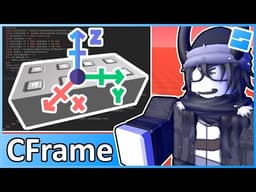
Complete Guide to CFrames in Roblox: Positioning and Orienting 3D Objects
AI summary of “Complete Guide to CFrames in Roblox: Positioning and Orienting 3D Objects” by BrawlDev, generated by Sumvid.
Title
Complete Guide to CFrames in Roblox: Positioning and Orienting 3D Objects
One-Sentence Summary
This comprehensive tutorial explains how to use CFrames in Roblox to precisely position and orient 3D objects in a workspace through practical examples and demonstrations.
Key Takeaways
- [0:33] CFrames are a fundamental data type that combines position and orientation into a single coordinate system, allowing developers to manipulate 3D objects with precise calculations rather than using separate position and rotation properties.
- [1:34] CFrames differ from Vector3s because they represent both position AND orientation simultaneously, making them essential for complex object manipulation in 3D workspaces; Vector3s only handle position.
- [4:55] Basic CFrame creation involves using the CFrame constructor with XYZ coordinates (e.g.,
CFrame.new(0, 0, 25)) and assigning it to a part's CFrame property to move objects in the workspace.
- [7:38] CFrame.Angles() method allows rotation by converting degrees to radians using
math.rad(), enabling precise orientation control along the X, Y, and Z axes independently.
- [9:56] CFrame objects can make parts "look at" specific positions using the two-argument CFrame constructor with starting position and target position, automatically calculating the required orientation.
- [16:32] CFrames are combined using multiplication (asterisk operator) rather than addition, which is a critical distinction from Vector3 operations:
part.cframe = part.cframe * CFrame.new(25, 0, 0).
- [19:51] Local/relative CFrame transformations use the
ToWorldSpace()method to move objects relative to their current orientation rather than the world's global axes, essential for accurate direction-based movement.
- [22:04] CFrame directional properties (LookVector, RightVector, UpVector) return Vector3 values indicating which direction a part is facing, enabling calculations to move objects in their facing direction with multipliers.
- [26:37] Models themselves don't have CFrame properties, but you can change an entire model's position by setting the CFrame of a designated primary part with weld constraints holding the parts together.