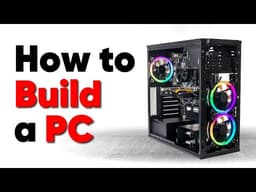
The Complete Guide to Building a PC: From Component Selection to Final Assembly
AI summary of “The Complete Guide to Building a PC: From Component Selection to Final Assembly” by Linus Tech Tips, generated by Sumvid.
Title
The Complete Guide to Building a PC: From Component Selection to Final Assembly
One-Sentence Summary
A comprehensive walkthrough covering every aspect of building a personal computer, from choosing components and planning your build to assembling hardware, troubleshooting, and optimizing BIOS settings.
Key Takeaways
- [0:31] Identify your PC's primary purpose first (gaming, content creation, storage) to allocate your budget appropriately across components like GPU, CPU, and RAM.
- [1:32] Different gaming genres have distinct hardware requirements; competitive shooters demand high refresh-rate displays and premium peripherals, while visually complex games benefit from high resolution and HDR support.
- [4:06] Choose your form factor (ATX, Micro ATX, Mini ITX) based on your space constraints and expansion needs, as smaller form factors require careful planning to avoid compatibility issues.
- [6:43] When selecting CPUs and GPUs, prioritize real-world performance reviews over specifications like clock speed, as specifications alone don't accurately indicate comparative performance.
- [17:37] For cooling solutions, large tower-style air coolers offer the best cost-to-performance ratio for most users, while custom liquid cooling rarely provides justifiable performance benefits for consumer builds.
- [35:39] Ground yourself properly using an anti-static wrist strap connected to the power supply chassis, or periodically touch the power supply to prevent component damage from electrostatic discharge.
- [1:00:30] Install components in a specific order (motherboard, CPU, RAM, storage, cooler) and perform a pre-build test outside the case to catch issues before final assembly and cable management.
Suggested Category Tags
More from Linus Tech Tips

The Dash Cam Paradox: Why Even Expensive Models Fail to Deliver
Linus Tech Tips
Complete PC Build Guide: Intel Core i7-9700K Gaming Build with POV Camera Experience
Linus Tech Tips
Building a Gaming PC from Wish.com: A Cautionary Tale of Counterfeit Components and False Advertising
Linus Tech Tips

Linux Gaming Distributions Benchmarked: Which Distro Should You Choose?
Linus Tech Tips