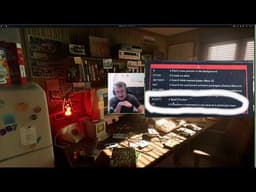
Linux Alphabet Command Guide: Exploring the 'at' Scheduler and 'aspell' Spell Checker
AI summary of “Linux Alphabet Command Guide: Exploring the 'at' Scheduler and 'aspell' Spell Checker” by Telep, generated by Sumvid.
Title
Linux Alphabet Command Guide: Exploring the 'at' Scheduler and 'aspell' Spell Checker
One-Sentence Summary
This video demonstrates two Linux commands starting with 'A'—the at command for scheduling tasks to run at a specific time and the aspell command for checking and correcting spelling errors in files.
Key Takeaways
- [0:00] The video is part of an alphabetical Linux command guide series, covering common terminal commands organized from A through X on a mousepad reference guide.
- [1:01] The
atcommand schedules commands to run once at a particular time by creating a local queue; it uses minute-level precision (not seconds) and requires theatddaemon service to be enabled viasystemctl enable atd.
- [5:11] The
echocommand is commonly used with pipes to send output to files and other commands, making it useful for creating complex command chains and demonstrations.
- [8:45] Practical use cases for
atare limited in modern development but could include running test suites after builds (e.g., usingmake deployfollowed by anatcommand to run curl tests after a specified delay).
- [10:18] The
aspellcommand is a spell checker that tokenizes files by spaces, compares each word against a local dictionary, and suggests corrections for unrecognized words—but it only checks spelling, not grammar.
- [12:24] When using
aspellinteractively, users can select from numbered suggestions to autocorrect words, ignore words, or press 'A' to add words to the dictionary for future checks.
- [15:33]
aspellincludes multiple language variants and dictionaries (English, Australian, Canadian, British, US, etc.), and users can create custom dictionaries or add personal names and terms to avoid future corrections.
Suggested Category Tags
More from Telep
Linux Alphabet Command Tutorials: The Ampersand (&) Operator
Telep
Linux Alphabet Commands Tutorial: Understanding and Using the Alias Command
Telep
Alphabet Linux Tutorial: Understanding the `apropos` Command and Manual Pages
Telep
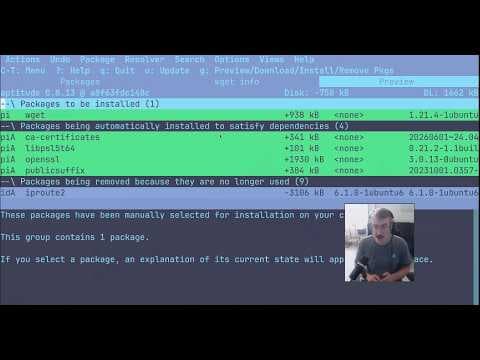
Linux Package Management Tools: A Complete Guide to APT, APT-GET, APT-CACHE, and APTITUDE
Telep

Linux Terminal Basics: A Beginner's Guide to File Navigation and Management
Telep