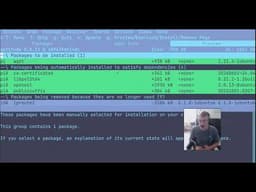
Linux Package Management Tools: A Complete Guide to APT, APT-GET, APT-CACHE, and APTITUDE
AI summary of “Linux Package Management Tools: A Complete Guide to APT, APT-GET, APT-CACHE, and APTITUDE” by Telep, generated by Sumvid.
Title
Linux Package Management Tools: A Complete Guide to APT, APT-GET, APT-CACHE, and APTITUDE
One-Sentence Summary
This tutorial explores the history and functionality of Debian/Ubuntu package management tools (apt-get, apt-cache, aptitude, and apt), demonstrating how each tool installs, searches, and manages software packages on Linux systems.
Key Takeaways
- [0:01] APT (Advanced Package Tool) is the foundational Debian-based Linux package manager used to install, update, and manage software packages through the terminal via remote servers.
- [3:42] APT-GET is the original package installer that retrieves binaries from servers and installs them locally, with key functions including
apt-get update(updates package references),apt-get install(installs packages),apt-get remove(uninstalls packages), andapt-get upgrade(refreshes package versions).
- [9:58] APT-CACHE only searches locally within your system's cache to display package information, dependencies, versions, and checksums (like SHA256) without connecting to external servers, accessible through commands like
apt-cache search,apt-cache show, andapt-cache depends.
- [15:50] APTITUDE, created in 1999, provides a graphical user interface over apt-get and apt-cache, allowing users to visualize package dependencies and installations interactively, though it's less commonly used today.
- [22:03] APT (created in 2014) is the modern unified tool that combines apt-get and apt-cache functionality into simpler syntax, providing more user-friendly output compared to apt-get's verbose logging, making it the preferred choice for everyday users while apt-get remains standard for automated scripts and Docker containers.
- [11:04] SHA256 is a hashing algorithm that compresses any amount of text into a 64-character string, used to verify that packages haven't been tampered with by comparing publicly posted hashes with locally downloaded binaries.
- [13:43] Packages have dependencies on other packages, and tools like
apt-cache dependshelp visualize these hierarchical relationships, preventing installation issues and ensuring all required components are present.
Suggested Category Tags
More from Telep
Linux Alphabet Command Guide: Exploring the 'at' Scheduler and 'aspell' Spell Checker
Telep
Linux Alphabet Command Tutorials: The Ampersand (&) Operator
Telep
Linux Alphabet Commands Tutorial: Understanding and Using the Alias Command
Telep
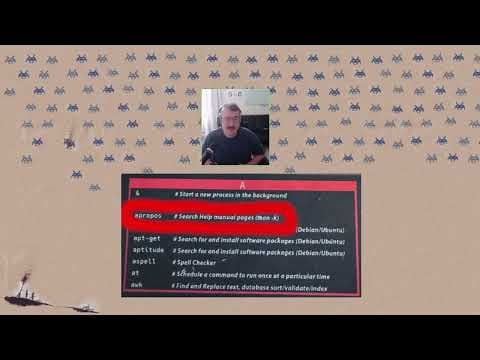
Alphabet Linux Tutorial: Understanding the `apropos` Command and Manual Pages
Telep

Linux Terminal Basics: A Beginner's Guide to File Navigation and Management
Telep