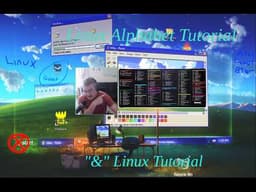
Linux Alphabet Command Tutorials: The Ampersand (&) Operator
AI summary of “Linux Alphabet Command Tutorials: The Ampersand (&) Operator” by Telep, generated by Sumvid.
Title
Linux Alphabet Command Tutorials: The Ampersand (&) Operator
One-Sentence Summary
This tutorial explains how to use the ampersand (&) operator in Linux to run commands in the background, allowing continued terminal use while processes execute.
Key Takeaways
- [0:32] The ampersand (&) is not a standalone command but a modifier appended to other commands to run them in the background
- [1:04] Running a command with & allows you to continue using the terminal immediately instead of waiting for the process to complete
- [1:36] When a process runs in the background with &, Linux displays its process ID (PID) so you can track and monitor it
- [2:08] The ampersand is particularly useful for long-running operations like web scraping scripts that would otherwise tie up your terminal for extended periods
- [2:39] In modern terminal multiplexers (tmux, Ghosty), the ampersand is less critical since you can open multiple windows, but it remains valuable for running concurrent background processes within bash scripts
Suggested Category Tags
More from Telep
Linux Alphabet Command Guide: Exploring the 'at' Scheduler and 'aspell' Spell Checker
Telep
Linux Alphabet Commands Tutorial: Understanding and Using the Alias Command
Telep
Alphabet Linux Tutorial: Understanding the `apropos` Command and Manual Pages
Telep
Linux Package Management Tools: A Complete Guide to APT, APT-GET, APT-CACHE, and APTITUDE
Telep

Linux Terminal Basics: A Beginner's Guide to File Navigation and Management
Telep